Home › Reseller profit tracker spreadsheet
Reseller profit tracker spreadsheet
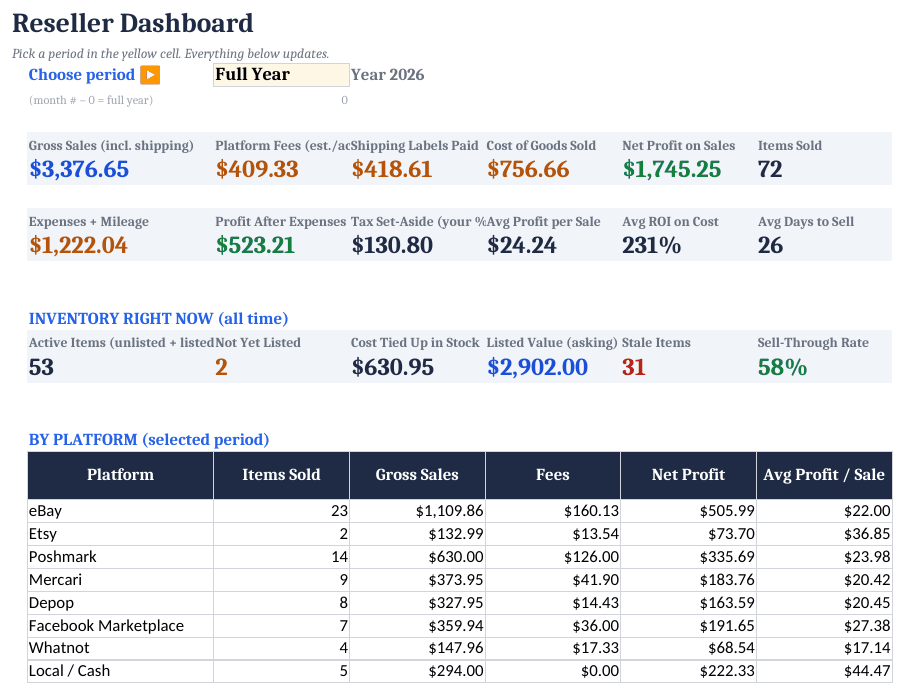
Resellers often know their sales number but not their profit, because fees, shipping labels and cost of goods are spread across different apps. A tracker that ties each sale to its SKU fixes that.
How to set it up
- Enter fee rates. On Settings, check and update the fee % and fixed fee for each platform you sell on.
- Add inventory. Log each item with a SKU, cost, source and date.
- Record sales. On Sales, enter the SKU and sale price; cost and estimated fee fill in. Replace the estimate with the exact fee from your payout.
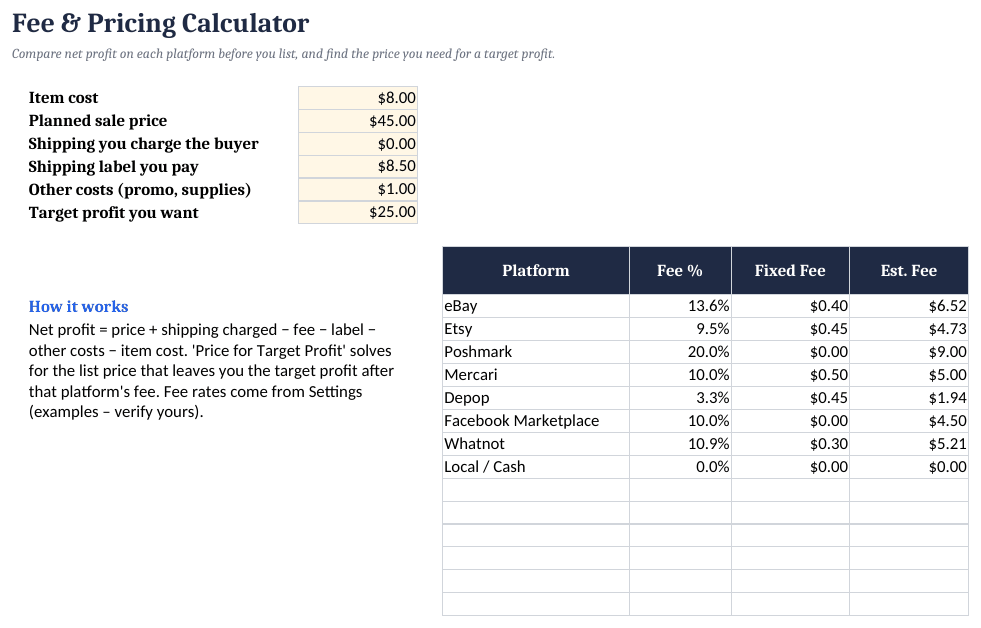
- Price new items. Use the Fee Calculator to see net profit on each platform before you list.
- Clear stale stock. Items older than your chosen number of days are flagged as Stale.
Profit per item
Net profit = sale price + shipping charged - platform fee - shipping label - cost of item
ROI        = net profit / cost of item
Fee rates change often and depend on category and account type. The fee table in our template is an example; enter your current rates from each platform's fee page.
Reseller Profit Tracker ($14)
The ready-made template shown in the screenshots: BLANK and SAMPLE files, a quick-start PDF, no macros. One-time purchase on Gumroad.
See it on GumroadFree tool: Small-business break-even and profit calculator
FAQ
Which platforms does it support?
Any. There's an editable fee table for 20 platforms.
Does it import from eBay?
Not automatically. You can paste rows from a CSV export into the Sales tab.