Home › Free habit tracker for Google Sheets (2027)
Free habit tracker for Google Sheets (2027)
A habit tracker only needs to do three things: let you mark a day as done, count it for you, and tell you honestly whether you're on track. Here's how to set one up in Google Sheets, with the formulas, and a free one-month template if you'd rather not build it.
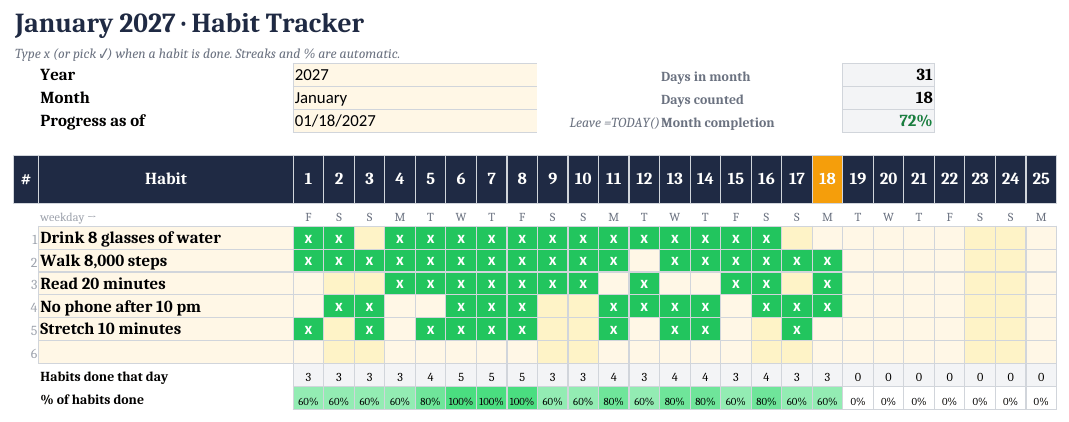
How to set it up
- Get the file. Download the free 1-month starter (or make your own sheet), upload the .xlsx to Google Drive and choose Open with → Google Sheets.
- Pick the month. On the Tracker tab, check the year and pick the month from the dropdown. Leave 'Progress as of' on =TODAY().
- Add 2–3 habits. Type up to 6 habits in the yellow Habit column. Starting with two or three is easier to keep up.
- Set a target %. Give each habit a monthly target, for example 80% (about 24 days in a 30-day month).
- Mark days with an x. Each day, type x (or tick a checkbox) when a habit is done. Leave skipped days blank.
- Read the numbers. Done, completion %, current streak, longest streak and On/Below target update automatically. Check the Summary tab once a week.
Why track completion %, not just streaks
A streak is all-or-nothing: miss one day and it goes back to zero, which is often when people give up. A completion target (for example 80% of the days in a month, about 24 of 30) leaves room for sick days and travel. Our trackers show both numbers next to each other: the streak for motivation, completion % vs target for the honest picture.
The formulas (if you want to build your own)
Put habits in column B and the days of the month in columns C:AG. Type an x when a habit is done.
AH2 (done):          =COUNTIF(C2:AG2,"x")
Completion so far:   =AH2/DAY(TODAY())
On target?           =IF(AH2/DAY(TODAY())>=0.8,"On target","Below target")
Use the completion formula only for the current month (it divides by today's day number). Streaks are harder in a single formula; the simplest reliable method is a hidden helper row where each cell is =IF(C2="x",B3+1,0) (previous cell + 1, or 0), then =MAX() of that row for the longest streak. That's exactly what our templates do, so they work in Excel, Google Sheets and LibreOffice without scripts.
Free vs full version
| Free 1-Month Starter | Habit Tracker & Goal Planner 2027 ($14) | |
|---|---|---|
| Months | 1 (pick any month) | 12 monthly tabs |
| Habits | 6 | 15, with categories |
| Streaks | Within the month | Carry over between months |
| Dashboard | Monthly summary + chart | Year dashboard, habit × month heatmap, 2 charts |
| Goals | 3 goals, 12 steps | 20 goals, 200 dated milestones |
Free: Habit Tracker 1-Month Starter
One month, up to 6 habits, automatic streaks and completion % vs target, 3 goals and a summary chart. Excel and Google Sheets. Free on Whop.
Get the free starterHabit Tracker & Goal Planner 2027 ($14)
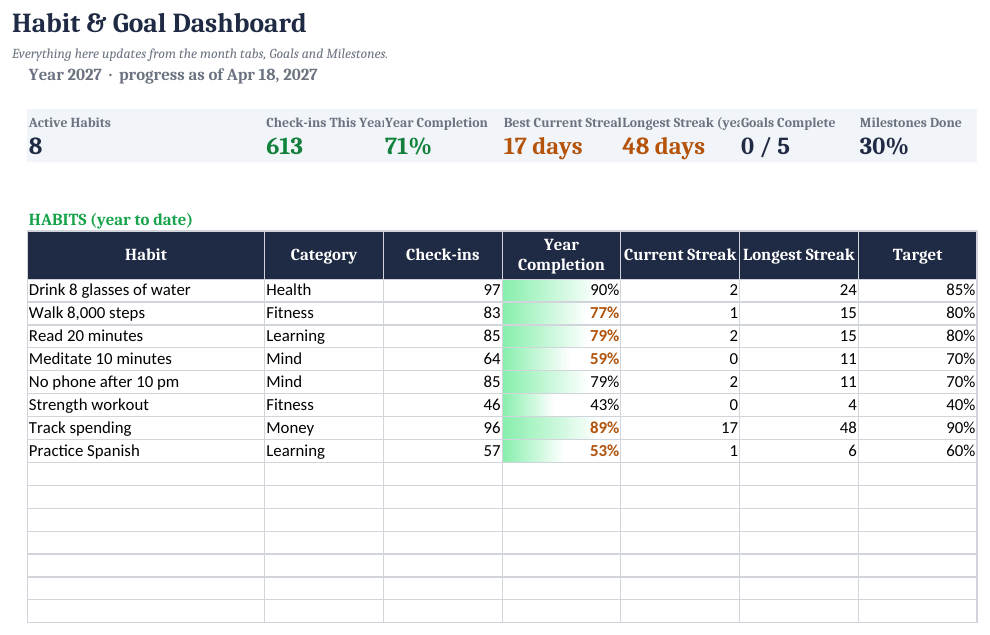
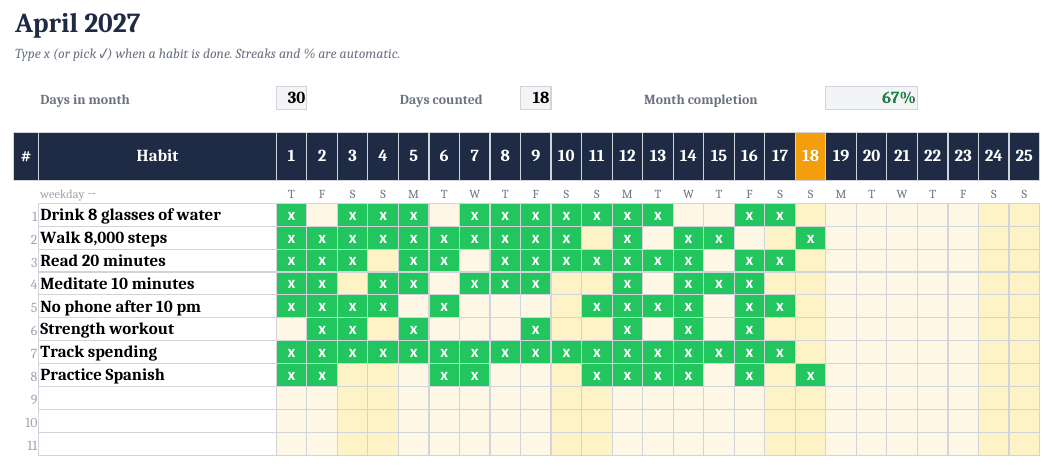
The ready-made template shown in the screenshots: BLANK and SAMPLE files, a quick-start PDF, no macros. One-time purchase on Gumroad.
See it on GumroadFree tool: Habit streak and consistency calculator
FAQ
Is the habit tracker really free?
Yes. The 1-Month Starter is free on Whop and works on its own for any month. The full-year version is a paid upgrade; you don't need it to use the free one.
Does it work in Google Sheets and Excel?
Yes: Excel, Google Sheets, LibreOffice and Apple Numbers. There are no macros or add-ons.
Can I use checkboxes instead of x?
Yes. In Google Sheets, insert checkboxes in the grid; a ticked box counts as done.