Home › Freelance invoice and client tracker spreadsheet
Freelance invoice and client tracker spreadsheet
Freelancers need to know three things at any time: who owes them money, what's overdue, and whether their rate actually covers their costs.
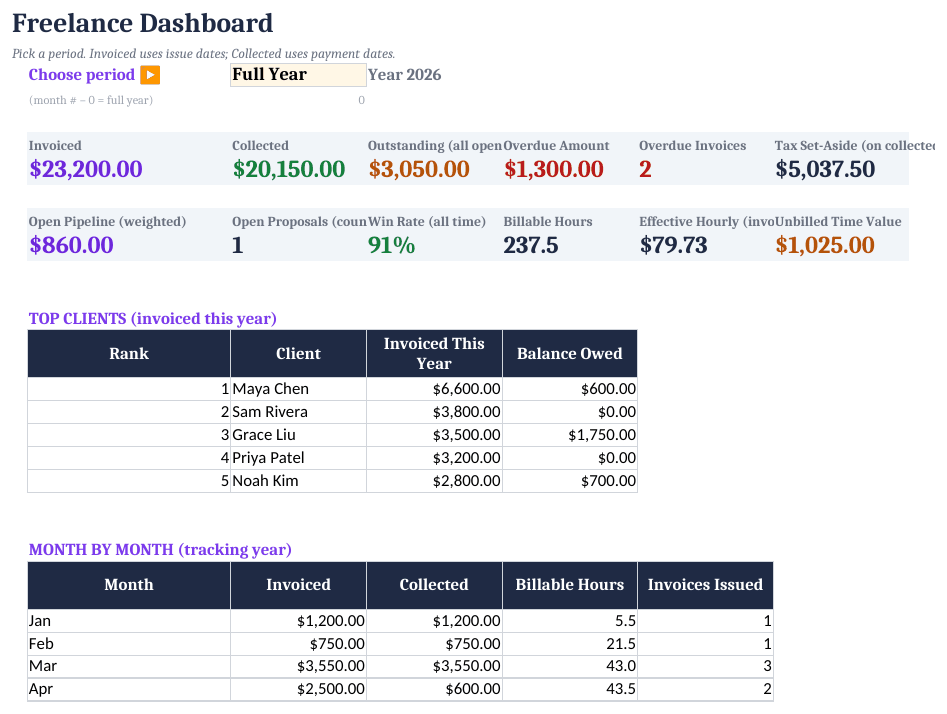
How to set it up
- Add clients. Enter clients and projects on Clients and Pipeline.
- Log time. Record billable hours in the Time Log.
- Invoice. Create a printable invoice in the Invoice Generator and log it on Invoices.
- Chase overdue. Status changes to Overdue automatically; the kit includes three levels of payment-reminder emails.
- Check your rate. Use the Rate Calculator once a year, or before quoting a big project.
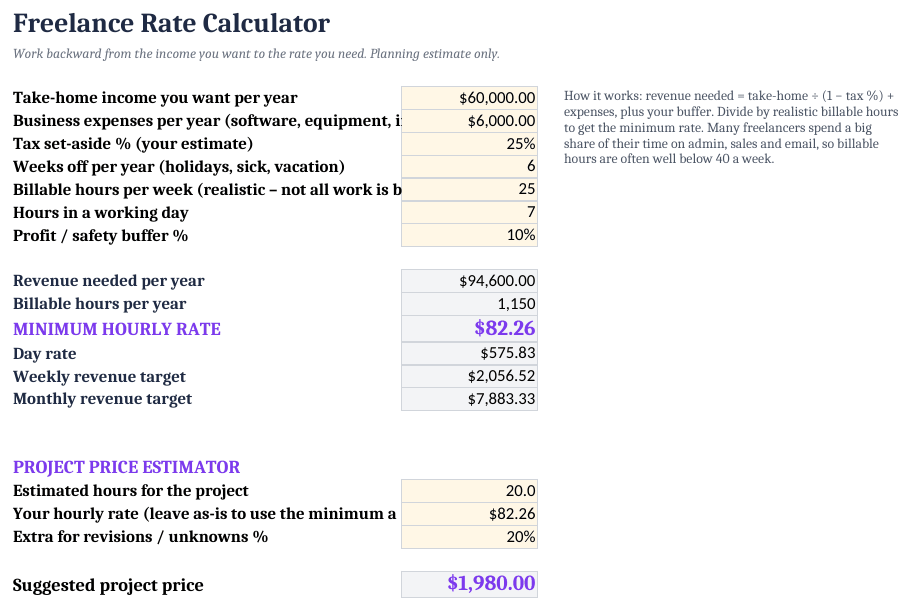
Minimum hourly rate
Revenue needed = (take-home pay + business costs) / (1 - tax %)
Billable hours = (52 - weeks off) × billable hours per week
Minimum rate   = revenue needed / billable hours
Most freelancers can bill far fewer hours than they work. Count only hours you can invoice.
Invoice status
=IF(balance=0,"Paid",IF(TODAY()>due,"Overdue",IF(due-TODAY()<=7,"Due soon","Open")))
Freelance Client Onboarding Kit ($19)
The ready-made template shown in the screenshots: BLANK and SAMPLE files, a quick-start PDF, no macros. One-time purchase on Gumroad.
See it on GumroadFree tool: Small-business break-even and profit calculator
FAQ
Are the contract templates legal advice?
No. They're editable starting points. Have a lawyer review them for your location and work.