Home › Wedding budget spreadsheet for Google Sheets
Wedding budget spreadsheet for Google Sheets
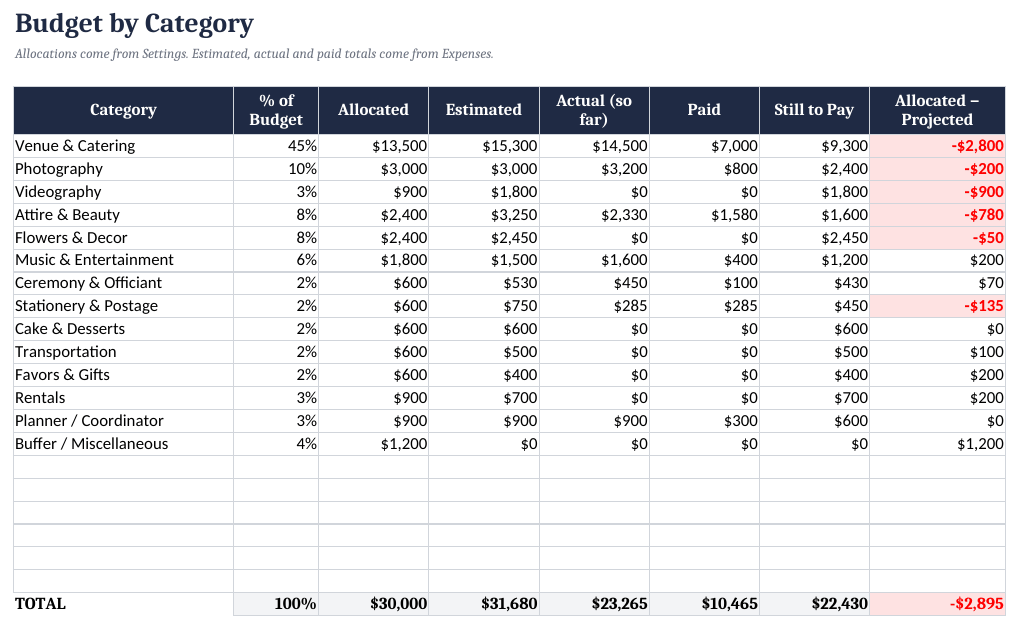
Wedding budgets drift one deposit at a time. A spreadsheet that compares each category's allocation with what you've actually committed shows the drift while there's still time to adjust.
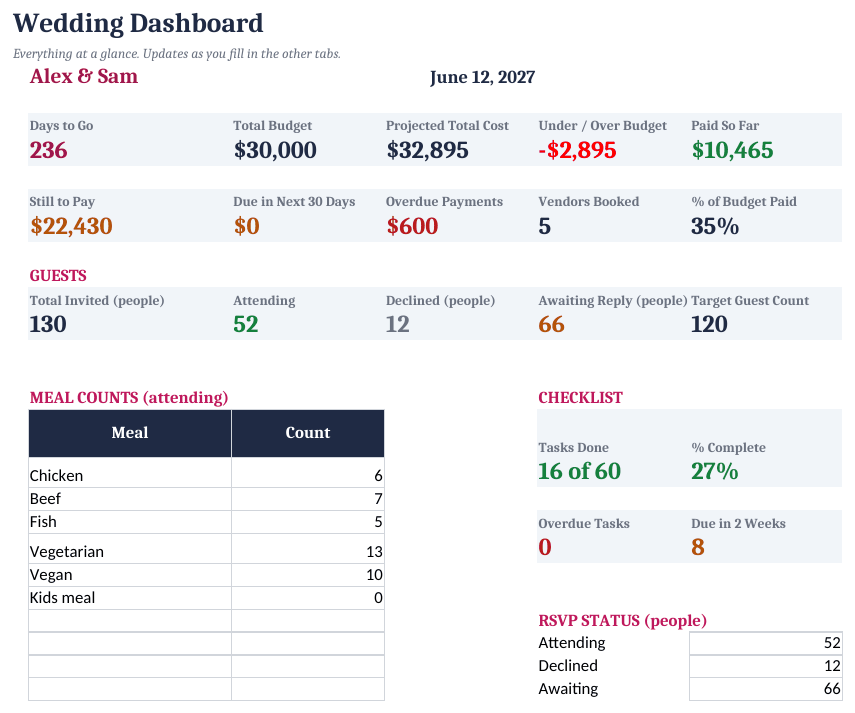
How to set it up
- Settings. Enter the date, names and total budget.
- Allocate. Adjust category percentages on the Budget tab.
- Track vendors and payments. Log quotes, deposits and due dates on Vendors and Expenses.
- Guests. Track households, RSVPs, meals and tables on Guests and Seating.
- Checklist. Tasks are dated automatically from your wedding date and flagged when overdue.
Allocate first, then compare
Start with a total, split it into categories (venue, catering, photography, attire...), then track estimate, actual and paid for each. The template's starting percentages are general examples; local prices vary a lot.
Over/under:  =allocated - MAX(estimate, actual)
Still to pay: =actual - paid
Wedding Planner Spreadsheet ($15)
The ready-made template shown in the screenshots: BLANK and SAMPLE files, a quick-start PDF, no macros. One-time purchase on Gumroad.
See it on GumroadFAQ
Can both partners edit it?
Yes. Open it in Google Sheets and share it.