Home › A simple CRM in Google Sheets for freelancers
A simple CRM in Google Sheets for freelancers
Most freelancers lose work because a follow-up was forgotten, not because they lacked a fancy CRM. A spreadsheet with three tabs (contacts, deals, follow-ups) and a couple of date formulas covers it.
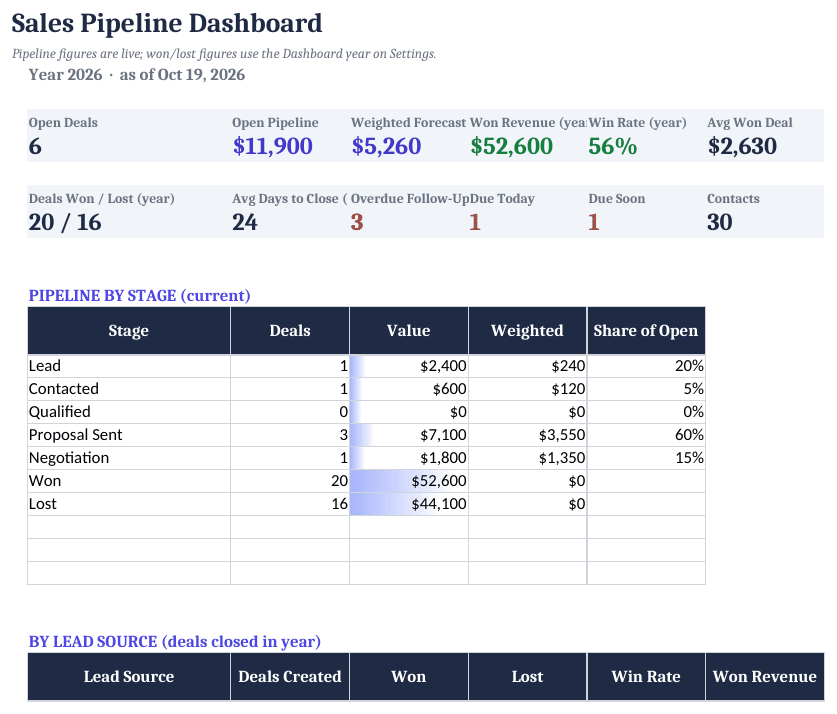
How to set it up
- Set your stages. On Settings, edit the pipeline stages and the 'due soon' window (days).
- Add contacts. Enter people and companies on the Contacts tab; each gets an automatic ID.
- Add deals. On Deals, pick the contact, stage and value. Probability comes from the stage, so the weighted forecast is automatic.
- Schedule follow-ups. Every deal should have a next follow-up date on the Follow-Ups tab.
- Work the dashboard. Each morning, open the Dashboard and clear the Overdue and Due today list first.
The three tabs you need
Contacts (one row per person), Deals (one row per potential project, with a stage like Lead → Proposal → Won/Lost and a value), and Follow-ups (date, who, what). Keep the stage list short. Five to seven stages is plenty for a freelancer.
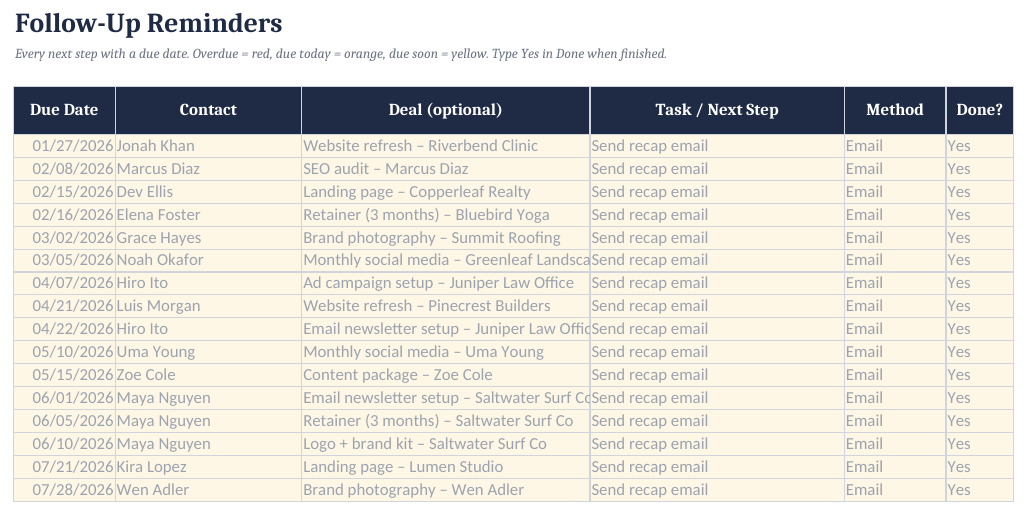
Follow-up flag formula
=IF(E2="Done","Done",IF(C2<TODAY(),"Overdue",IF(C2=TODAY(),"Due today",IF(C2-TODAY()<=3,"Due soon","Upcoming"))))
C2 is the follow-up date and E2 is the status. Add conditional formatting so Overdue turns red. Win rate is =COUNTIF(stage,"Won")/(COUNTIF(stage,"Won")+COUNTIF(stage,"Lost")).
Simple CRM Spreadsheet ($17)
The ready-made template shown in the screenshots: BLANK and SAMPLE files, a quick-start PDF, no macros. One-time purchase on Gumroad.
See it on GumroadFAQ
Is this better than a free CRM app?
Not for everyone. A spreadsheet is best if you want something you fully own, with no logins or per-seat fees, and you have under a few hundred active contacts.
Can I share it with a partner?
Yes. Open it in Google Sheets and share it like any other sheet.