Home › Reading log spreadsheet template
Reading log spreadsheet template
A reading log is the easiest tracker to keep going because you only touch it twice per book: when you start and when you finish. Here are the columns worth having, the formulas for a reading challenge, and our ready-made template.
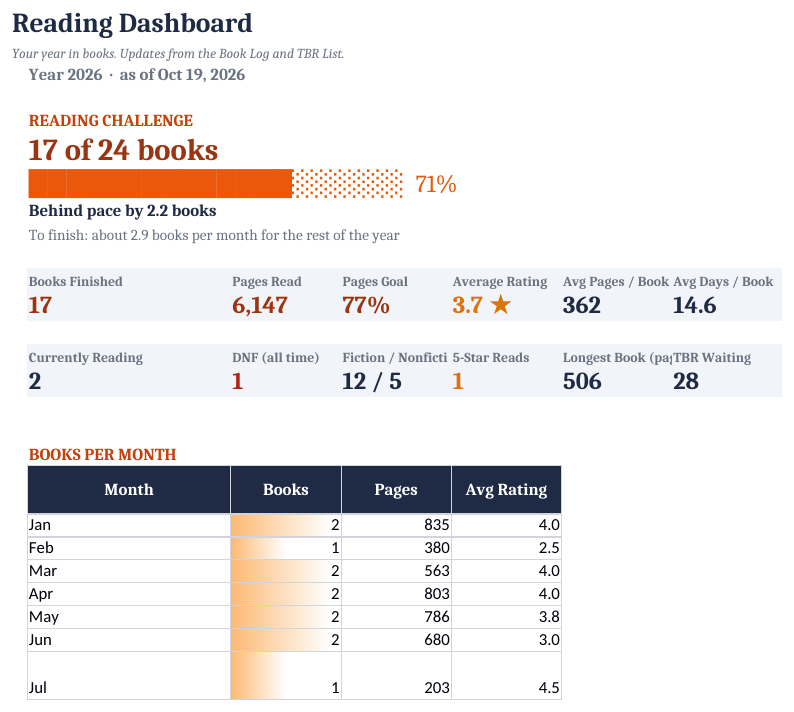
How to set it up
- Set your goal. On the Settings tab, enter the year, your book goal and an optional pages goal.
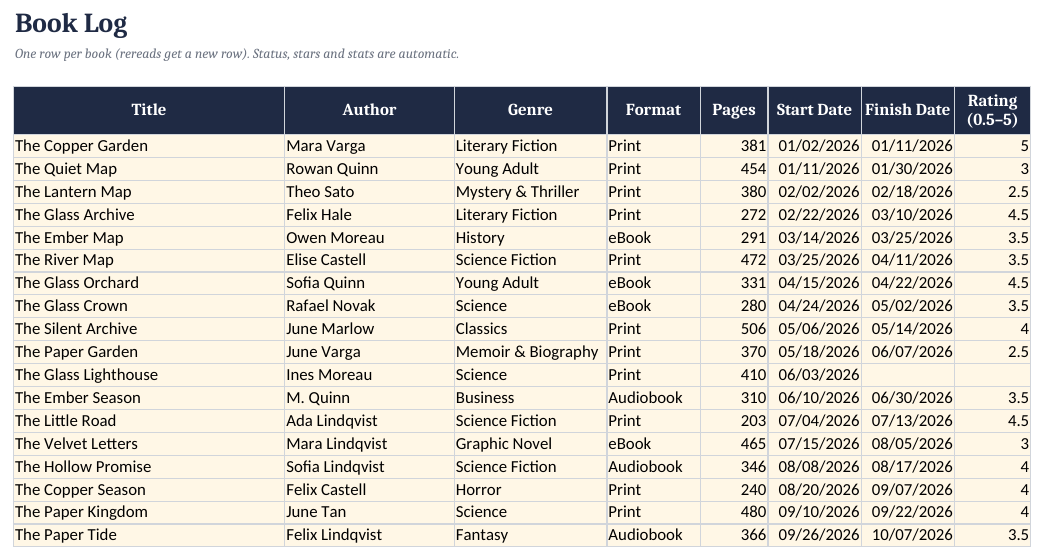
- Log books. Add each book to the Book Log when you start it: title, author, genre, format and pages, plus the start date.
- Finish and rate. When you finish, add the finish date and a 0.5–5 star rating. Status, days to read and pages per day fill in.
- Keep a TBR list. Add books you want to read to the TBR List with a priority and where you heard about them.
- Check the dashboard. See challenge progress, ahead/behind pace and genre stats on the Dashboard.
Columns worth tracking
Title, author, genre, format (print, ebook, audiobook), pages, date started, date finished, rating, and notes. Everything else can be calculated: status (reading / finished), days to read, pages per day.
Reading challenge formulas
Books finished:   =COUNTIFS(G2:G1000,"<>",G2:G1000,">="&DATE(2027,1,1))
Goal progress:    =B1/24            (24 = your yearly goal)
On pace?          =B1 - 24*(TODAY()-DATE(2027,1,1))/365
Pages per day:    =E2/(G2-F2+1)    (pages / days to read)
A positive 'on pace' number means you're ahead of schedule. Our template does this for you on a dashboard, along with books per month, genre and format charts, average rating, and a TBR (to-be-read) list.
Reading Tracker & Book Log Spreadsheet ($12)
The ready-made template shown in the screenshots: BLANK and SAMPLE files, a quick-start PDF, no macros. One-time purchase on Gumroad.
See it on GumroadFAQ
Does it work for audiobooks?
Yes. Pick Audiobook as the format; pages are optional.
Can I track a DNF (did not finish)?
Yes. Set the DNF/Paused override and the book won't count toward your goal.