Home › Job application tracker spreadsheet
Job application tracker spreadsheet
A job search is a numbers game, and a tracker shows you the numbers: how many applications, how many responses, and which follow-ups are due today.
How to set it up
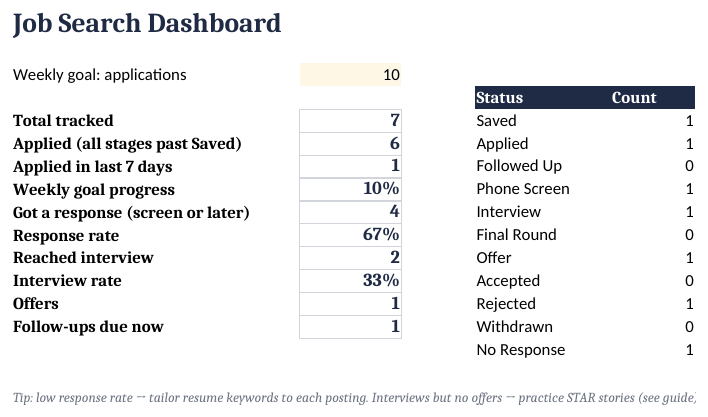
- Set a weekly goal. Enter your weekly application goal on the Dashboard.
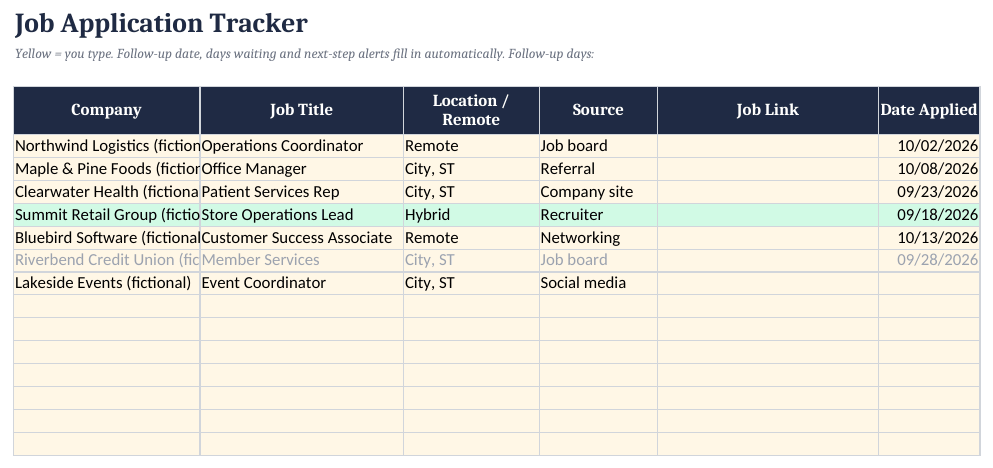
- Log each application. Add company, title, source, link and date applied on Applications.
- Update status. Change status as things move (Applied → Phone Screen → Interview → Offer).
- Follow up. The Next Action column turns red when a follow-up is due.
- Prepare stories. Fill in the STAR Story Bank before interviews.
Columns and the follow-up formula
Company, job title, location, source, link, date applied, status, contact, next action. The useful automation is a follow-up date:
Follow up on:  =IF(G2="Applied",F2+7,"")
Response rate: =COUNTIF(status,"Interview")/COUNTA(status)
(F2 = date applied, G2 = status.) A low response rate usually means the resume and posting don't match well, which is something to fix before sending more applications.
Resume & Job Application Kit ($14)
The ready-made template shown in the screenshots: BLANK and SAMPLE files, a quick-start PDF, no macros. One-time purchase on Gumroad.
See it on GumroadFAQ
What else is in the kit?
3 ATS-friendly resume templates, 2 cover letters, 12 email scripts and a 5-page job-search guide, plus this tracker.