Home › Budget spreadsheet with a side income tracker
Budget spreadsheet with a side income tracker
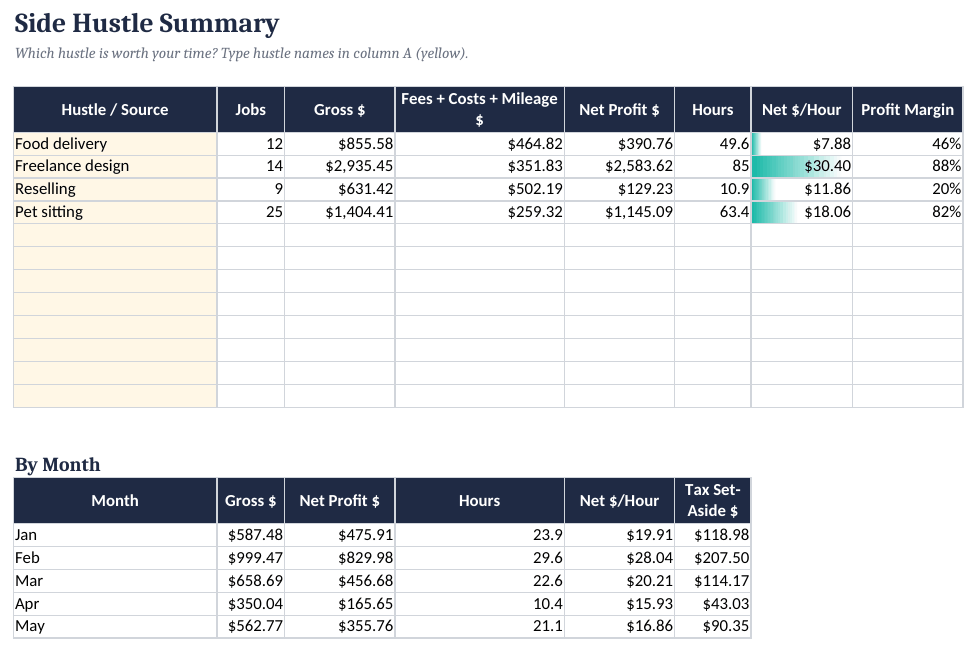
If you have a day job plus side income, a normal budget template mixes everything together. Keeping gig income in its own log, with fees, costs and hours, shows what each hustle actually pays per hour.
How to set it up
- Settings. Enter the year, starting balance, tax set-aside % and mileage rate, and edit income and expense categories.
- Plan. Fill in the 12-month Budget Plan per category.
- Log transactions. Enter spending and income in the Transactions ledger (or paste from a bank export).
- Log side gigs. Record each gig with fees, costs, miles and hours in Side Income.
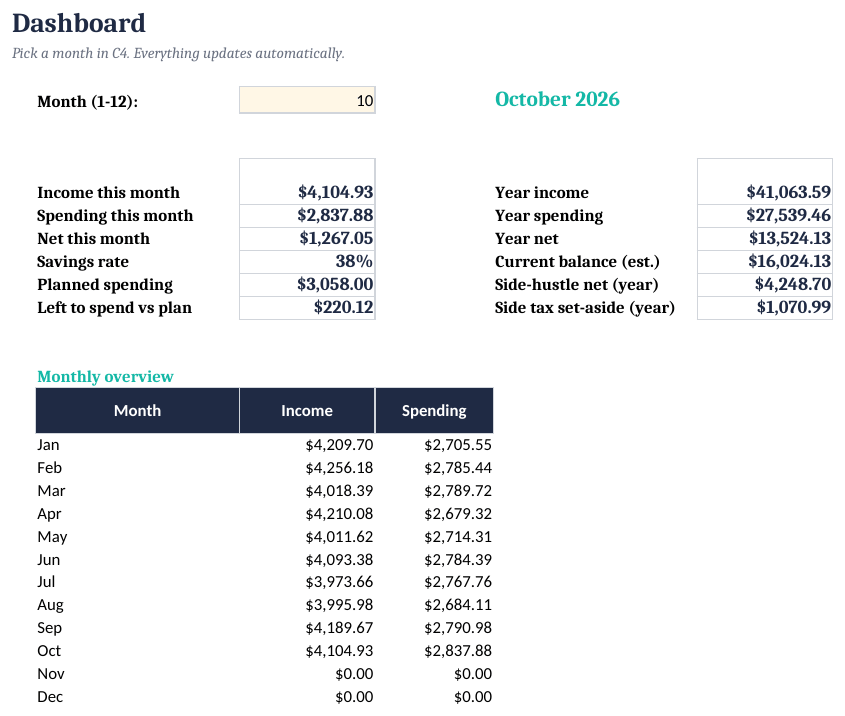
- Review. Pick a month on the Dashboard; overspending shows in red, and the Side Hustle Summary compares your gigs.
The two numbers that matter for a side hustle
Net profit:  =gross - fees - costs - miles*mileage_rate
$ per hour:  =net_profit / hours
A gig that grosses more can still pay less per hour once fees, gas and time are counted. Set aside a share of side-income profit for taxes; the right % depends on your situation.
Budget + Side-Income Tracker ($12)
The ready-made template shown in the screenshots: BLANK and SAMPLE files, a quick-start PDF, no macros. One-time purchase on Gumroad.
See it on GumroadFAQ
Does it connect to my bank?
No. You type or paste transactions, which also means no bank login is shared with anyone.
Is the tax set-aside accurate?
It's a simple % you choose, not a tax calculation.